Posts

Showing posts with the label Oracle DB

Run DB scripts in background mode - Oracle 19c

To execute Oracle Database queries in the background, allowing the process to persist even if the Linux server console is closed or the user logs out, use the following command: nohup sqlplus -S username/’password’@service_name @script_name.sql > log_file. log 2>&1 & Output: The query execution details will be logged in log_file.log for review. You can monitor the process in real-time by using the following command: tail -f log_file.log
Setup sqlplus for AWS RDS Oracle DB in a Linux server

Image
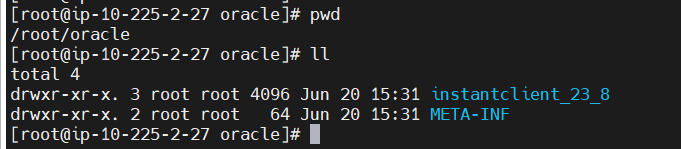
Step 1 :  Download the packages URL : https://www.oracle.com/database/technologies/instant-client/linux-x86-64-downloads.html We need below 2 files.  instantclient-basic-linux.x64-23.8.0.25.04.zip nstantclient-sqlplus-linux.x64-23.8.0.25.04.zip The version of above packages can be changed.  Make a new dir for the oracle configurations and extract the 2 zip files in the same location. mkdir -p /root/oracle/instantclient_23_8 Step 2 : Create  tnsnames.ora file touch /root/oracle/instantclient_23_8/network/admin/tnsnames.ora Content is below service name =   (DESCRIPTION =     (ADDRESS = (PROTOCOL = TCP)(HOST = maleesha- lr.c700eh08fac4.eu-west-2.rds.amazonaws.com )(PORT = 1521))     (CONNECT_DATA =       (SERVICE_NAME = service_name )     )   ) Step 3 : Set env variables for the linux user in the bash profile  export ORACLE_HOME=/root/oracle/instantclient_23_8 export PATH= $ORACLE_HOME : $PATH export LD_LIB...